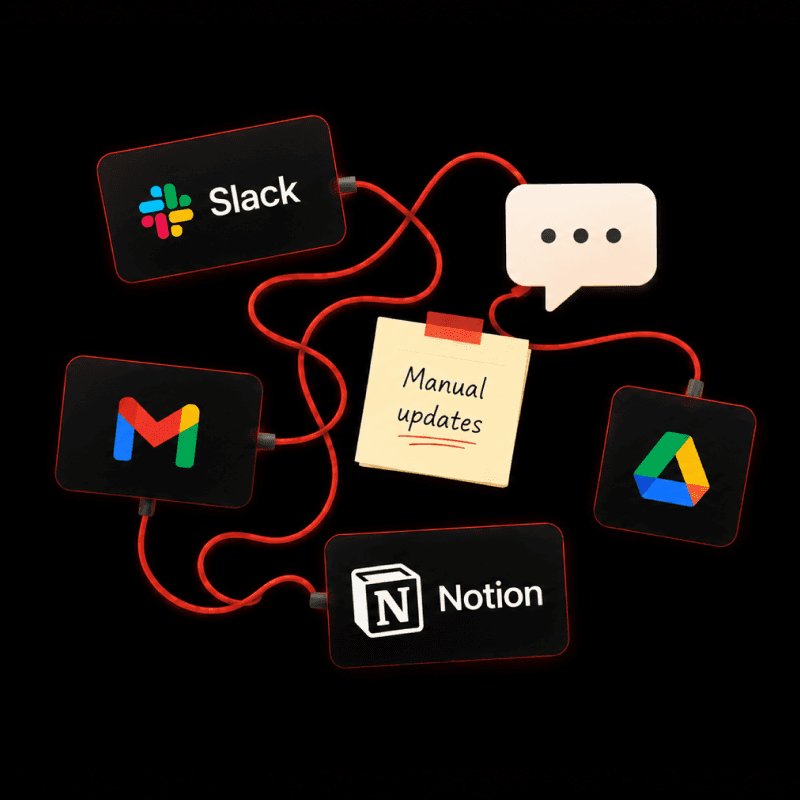
Before working with us, this $10M+ D2C brand had briefs scattered across Google Sheets, feedback split between Figma and Slack threads that ran 60 replies deep, and results tucked away in Klaviyo. Now one Notion system connects the workflow. Every email shows its stage and next owner, Klaviyo results sit beside each brief. Ticking a box moves the work forward.
“My whole day is eaten by this process… I work probably till 8:30 p.m. every day, just because after five is the only time Slack messages and approvals aren’t being asked for.”
—Head of Design
The Challenge
Email is the brand’s highest-volume marketing channel: 17 emails a week, and up to five a day around Black Friday.
Four teams collaborate on every email:
Marketing writes the brief
Design builds it in Figma
Leadership approves it
The email team sets it up, QAs, and schedules in Klaviyo
The tools in between weren’t built for that many handoffs:
Briefs lived in Google Sheets, one tab per email, per month
Design feedback bounced between Figma and Slack threads that reached 60 replies
Approvals ran through Slack. Every offer needed calendaring, inventory tracking, pricing alignment, and leadership sign-off, each in a different channel
Status lived in a tracker sheet, so figuring it out meant asking around in Slack. Preparing a daily status update meant manually piecing together information from the tracker and Slack
“At any point I probably have… 38 Slacks right now since we started the call… almost every single step has to be QA’d, and I QA at three different points across this process. So 17 briefs a week, QA at three different points.”
— Email Marketing Manager
Discovery
Before building anything, we ran a Design Sprint to map the brand’s current marketing workflow, from idea to scheduled send. The team walked us through every sheet, Slack channel, and tool behind an email or post, and we mapped the brand’s highest-friction workflows end to end.
Email marketing emerged as the priority: it was the company’s highest-volume, highest-touch workflow. Every email touched four teams, so every fix would pay off four times.
Three opportunities stood out:
Connect briefs to design templates — each brief would link to the design template selected during copywriting, so designers wouldn’t have to start an email from scratch.
Track every email’s status in one place — anyone could see where an email stood without chasing someone for an update.
Bring feedback and approvals into one workflow — comments and sign-offs on the email copy would live in Notion itself, instead of being split across Sheets and Slack (design feedback stayed in Figma for ease).
The sprint ended with a working prototype of the email dashboard, which became the starting point for the build.
The Solution
“It looks incredible… I’m literally beaming over here. If only we had this a year ago. This level of integration, data being incorporated into it, is really exciting and is what will make all of our workflows so much stronger and our teams so much more efficient.”
— Director of Marketing
Campaign Tracking System
Every sale, launch, or content push gets one campaign page with its promo codes, emails, SMS, and design requests. Each campaign moves through marketing, inventory, pricing, build, and QA reviews, and a timeline shows what’s live and what’s next.

Campaign timeline: what’s live now and what’s coming next

Email brief with its owner, stage, next step, and Figma and Klaviyo links
One home for every email
Each brief links to its campaign, offer, and day on the marketing calendar. Brief templates match the design team’s email templates, so designers aren’t rebuilding layouts from scratch.

Send calendar: every planned and sent email, by day and segment
Owners and checklists on every brief
Each brief names its copywriter, designer, and reviewers, with a checklist for every stage, from copywriting through scheduling. Design QA and email QA get their own tabs, so every sign-off has a name and a timestamp. Ticking the boxes moves the email to its next stage automatically.

Owners, reviewers, and approvals for each stage of a brief
A next step on every email
A formula reads the checklist and writes one line: what happens next and who’s up. Nobody has to ask, and nobody has to chase.

Next Step updates as boxes get ticked, so everyone sees who’s up
“What’s really exciting about this is that next step functionality is that it’s very clear where it is in the process, who’s being tapped for it, who’s assigned to it…
Our email marketer used to be the pusher… she was having to push, push, push for action and updates.
Now this is doing it for us… This is transformational, I would say, from an email perspective, given the volume that we’re working through.”
— Email Marketing Manager
Briefs and metrics in one place
Each email records its segments, send times, UTMs (tracking links), and exclusions, and its Klaviyo results (opens, clicks, orders, revenue) sit next to the brief. More than 1,600 past emails came along too, with their subject lines and preview text.

The Outcome
Before | After |
|---|---|
“What’s the status of this email?” meant asking around in Slack | Every email shows its stage, its next step, and who’s up |
An email assistant chased each handoff by hand | Ticking a box moves the email forward and taps whoever’s next |
Feedback and sign-offs were spread across Figma comments and Slack threads | Every review and QA sign-off is a checkbox on the brief |
Offer approvals ran through separate Slack channels | Each campaign moves through its reviews on one page |
Results lived in Klaviyo, away from the briefs | Klaviyo results sit next to every brief |
Having results beside the briefs paid off during the first walkthrough: the team saw which templates it relied on most and found that new subscribers were twice as likely to buy as subscribers who’d been on the list for three months.
SMS and design requests were later added to the same system.
Behind the scenes
What we learned getting this team to switch:
Design with the people who do the work
The whole team walked us through its process from brief to send before we locked in a single stage. When we later proposed fewer stages, the Email Marketing Manager asked us to check with the email assistant first: “This is her version of the spreadsheet.”
Start from the spreadsheet, then simplify
The first version mirrored the team’s tracker sheet, with the same steps as checkboxes, the same columns, and the same sort order, so it felt familiar on day one. Once the team was working in it, we collapsed those steps into five stages, with checklists inside each.
Agree on the words
Promo, offer, deal, and campaign meant different things across the sheets and tools, which muddied the process map. A glossary page gave each term one meaning, and confusing database names were changed.
Launch one shared view before personal ones
Early dashboards had tabs nested inside tabs, which made things hard to find. We moved everyone to one shared view first and added personal views, like “everything waiting on me,” later.
Cut notification noise early
Whoever created a brief got notified about every comment on it, and designers got duplicate alerts. We moved brief creation to a Notion agent and turned the duplicates off.
Set a cutover date and communicate changes
Briefs ran through Sheets and Notion side by side until the team felt confident, then everyone switched on a set date. After launch, the workflow continued to evolve in Notion. We learned to communicate even small changes to everyone using the system.
Train on real emails, one person at a time
Most sessions were one-on-one and built around the team’s own email projects. Long back-to-back sessions were a lot to absorb in one day, so we kept them short. The whole team then walked through the finished workflow together, end to end.
What other D2C teams can take from this
Fix the handoffs before the copy
At this volume, emails stall between people. If someone on your team has become the full-time chaser, put the next step and its owner on every email.
Give Slack one job
Quick back-and-forth that needs an answer in minutes stays in Slack. Status, sign-offs, and anything someone will look for later belong on the email itself in Notion.
Put results next to the work
When past emails and their numbers sit beside the brief, whoever writes the next one starts from what worked.
Is someone on your team a full-time email chaser?
Get back their time! When every email shows its stage, its next step, and who’s up, nobody has to chase. If your email calendar has outgrown the spreadsheet, we can build this around how your team works.