
Notion's superpower is that you can build almost anything in it. Notion is "an infinitely customizable blank canvas of ultimate power," as Skyler, our account executive, puts it. It might be Notion’s greatest gift, but it’s also its greatest curse.
This blank canvas could mean every team, and honestly every person, could make their own structural decisions. Where do meeting notes live? What counts as a project versus a task? Does this information deserve a database or a table? Multiply those little decisions by a hundred people, fast forward two years later and you end up with a workspace we often hear about on sales calls: a workspace that has become "a dumping ground" that your team has stopped trusting and quietly abandoned.
Poor workspace design doesn't show up as a line item. It shows up as drag. Someone recreates a document because the original is buried somewhere nobody can find. A decision made at an all-hands gets second-guessed months later because nobody can find the meeting notes. None of this looks like a problem at first. Then a new hire joins, and what should take a few days of ramping up turns into weeks of someone walking them through everything. If a new hire can't intuitively navigate your workspace, it isn't doing its job and it's definitely not enterprise-ready. The debt compounds fastest exactly when you can least afford to deal with it, which is when you're scaling. Waiting until it hurts is the expensive option.
The fix is fewer decisions, not more databases
When teams notice the mess, the instinct is usually to add something. A new database, a new dashboard, a fresh "Company Wiki v2" page that quietly becomes v3 by summer, and so on.
What actually works is removing decisions. Give the team one obvious place for each kind of work, one way to create a project, one home for docs, and adoption stops being a willpower problem. Nobody has to remember the system, because the system is the path of least resistance.
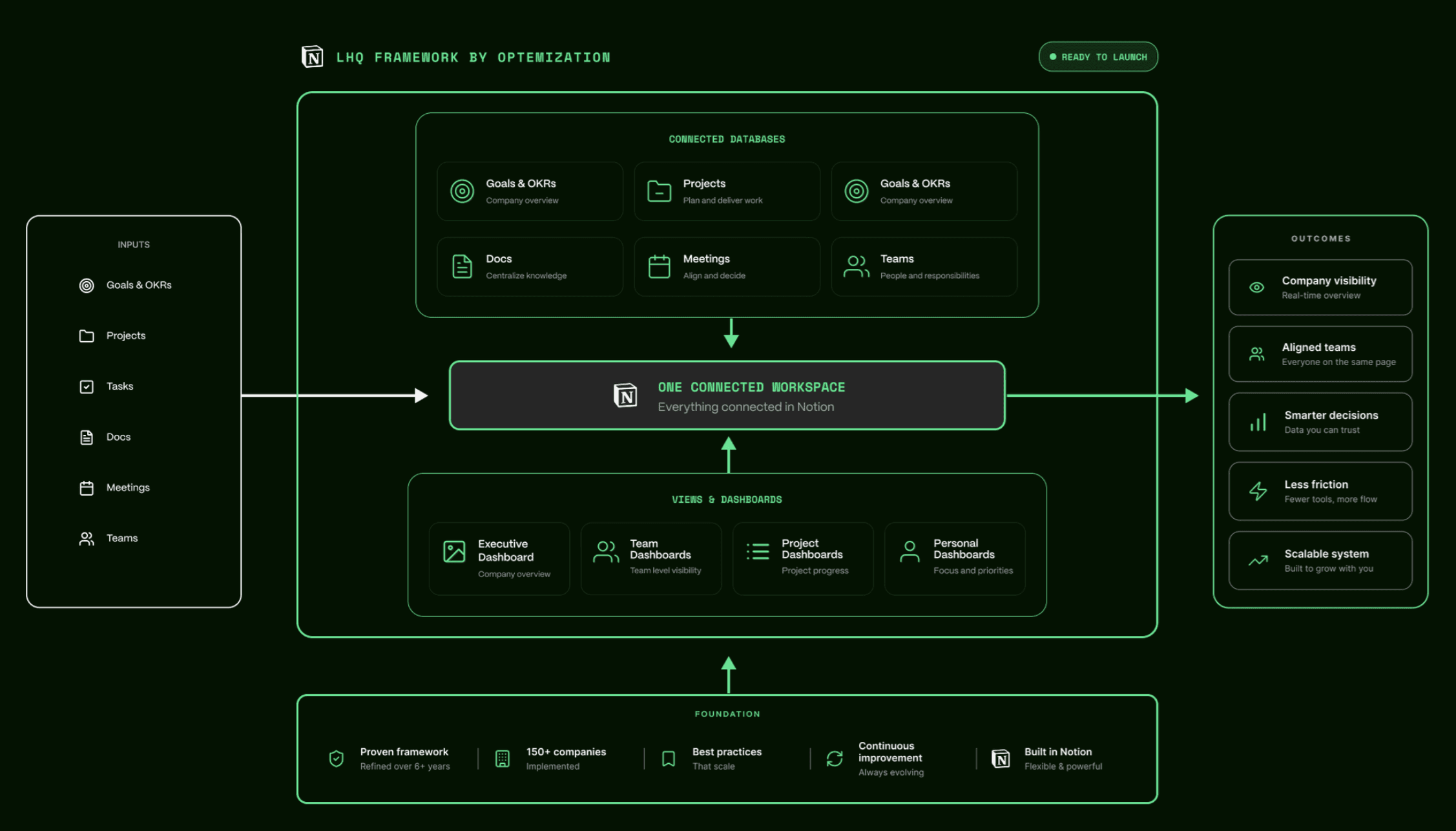
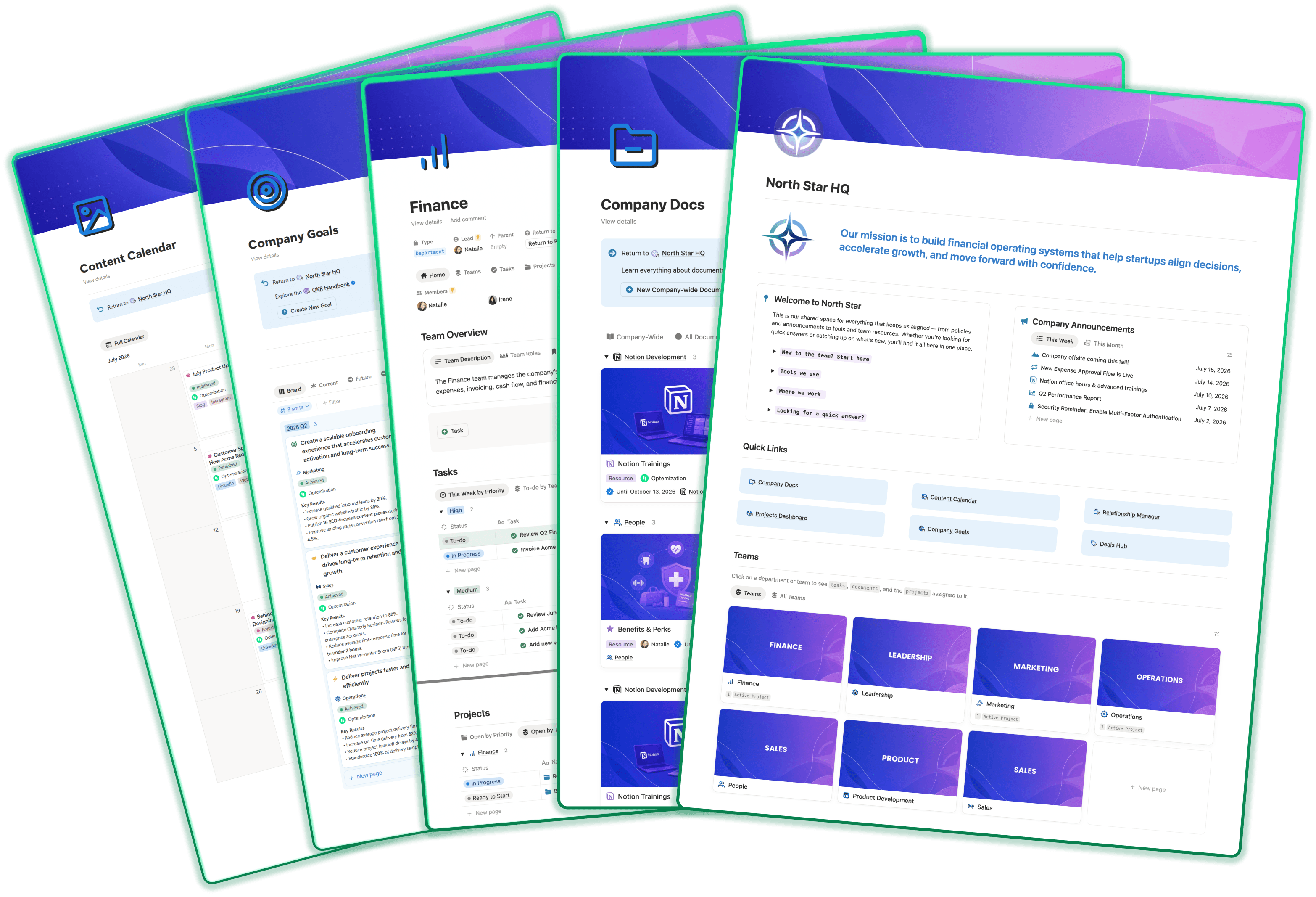
Shaped by years of building scalable Notion workspaces for high-growth teams, we created a flexible Notion framework that enables teams get their structure setup properly from day one, so they can avoid these common traps as they grow. Our framework comes with connected databases for the things every company needs, such as projects, tasks, docs, meetings, goals, and people. Every team gets a hub built using the same blueprint. Every person gets a personal dashboard of their own. Learn your way around one team's hub and you can navigate them all. A structure like this also does something sneaky. It forces clarity about how your company actually runs.
The 30-day Notion workspace build, week by week
Here's our process for setting up a new Notion workspace.
Week 1: Foundation and ownership
The week starts with a kickoff call. We identify two people on the client's team who will be the company's Notion Champion, they own the workspace's structure from here on out. The second is a Permissions Admin, who decides who can touch what. Having these two roles helps to prevent the workspace from running wild.
Then the framework is installed. Tailored to how our client works based on our setup call, so their Notion workspace adopts to their teams, terminology, and permission boundaries. By the end of the week, what started as a blank canvas, is now a fully functional Notion workspace.
Weeks 2-4: Adoption, the actual hard part
Software installs in a day. Habits don't. Over the next few weeks we run one to two live trainings per week, sized to the client's team, plus optional office hours for the "okay, but where does this go" questions that only surface once people genuinely start working in the space.
By week three to four, something shifts. People stop asking where things go and start correcting each other. That's the tell. The structure has stopped being the consultants' system and becomes the foundation for how the team works.
End of week 4: The workspace stands on its own
The engagement wraps with training recordings handed over, engagement metrics shared, and the client's team, led by their Notion Champion, running the workspace themselves.
Now for the honest part, day 30 is the day the foundation stands. The team is trained, the structure is in, and there's a named person whose job is keeping it that way. Building habits will keep continue to compound for months after, which is normal and good. Anyone promising a total company transformation in a month is selling you something. What we provide our clients in 30 days is a foundation for a scaling company, a person who owns it, and a team that understands how to navigate around.
What surprises people most is the pace, so it's worth spelling out why it's possible. Starting from a proven structure is dramatically faster than building a workspace through guess work. You skip the long "figuring it out" phase and swiftly propel your team into actually using and adopting the tool in their day to day work.
Where AI fits in an AI-powered Notion workspace (and where it doesn't)
AI will not rescue a messy workspace. Point AI to an unruly, unstructured workspace and it doesn't transform anything. It just retrieves your stale, duplicated, contradictory content faster than you could. Ask it a question and it will confidently cite a doc that's been outdated since 2024.
AI runs on your workspace's content the way an engine runs on fuel, and most workspaces are full of watered-down gas. Clean, single-source-of-truth databases and properly archived clutter make a big difference between an AI assistant and an AI liability. So the build we just walked through is the AI enablement. The reality is, there's no separate "add AI" step that skips the foundation. With a proper foundation in place, AI earns its keep.
Notion AI is built to read and update your pages and databases and run multi-step jobs on your own data, so anything that amounts to operating the workspace is its home turf. Updating statuses, drafting from your docs, answering "how's this project going." For messier judgment calls and heavier reasoning, a tool like Claude goes deeper. (By the way, we wrote a full comparison in our Notion AI vs Claude guide if you want to go down that rabbit hole!)
Two honest caveats, so you hear them from us and not from a disappointed teammate in month two. AI output still needs a human check, because a strong first-draft machine is a very different thing from a truth machine. And Notion, AI or not, shouldn't absorb every specialized tool you own.
Not starting from a blank canvas?
Everything above assumes you're building fresh. If instead you have two or three years of accumulated Notion data behind you and the mess has already won, that's a different job, closer to renovation than construction. You can check out our Reset offer for help with cleaning up a messy workspace.
Build it before it hurts
Most teams treat their workspace the way most people treat their back. Total indifference, right up until the day it goes out.
By now the pattern should be familiar. The mess comes from missing structure and missing ownership, never from a lack of talent, and it compounds while you're busy. So the best time to put in a solid foundation is now, while the canvas is still mostly blank and every week of growth can land in a structure built to hold it, rather than after the dumping ground has formed. Do it early enough and cleanup never becomes your problem at all. That's the preventative part, and it's the part most teams learn too late.
Could you build all this yourself? With enough time, research, and trial and error, probably. But if you're scaling, time is of the essence, and the trial-and-error path is exactly how hack jobs get born. Building it right the first time takes expertise that's frankly not worth developing in-house for a one-time build. It's worth outsourcing to the experts.
If you're new to Notion and want a well-structured, scalable workspace from day one in a matter of weeks, not months, let's chat and map out your next 30 days!

