Same tool, new system: the Notion build that became the backbone of Patreon's video production team
San Francisco, California
2013
Creator Economy / Media & Entertainment
600+ employees & contractors
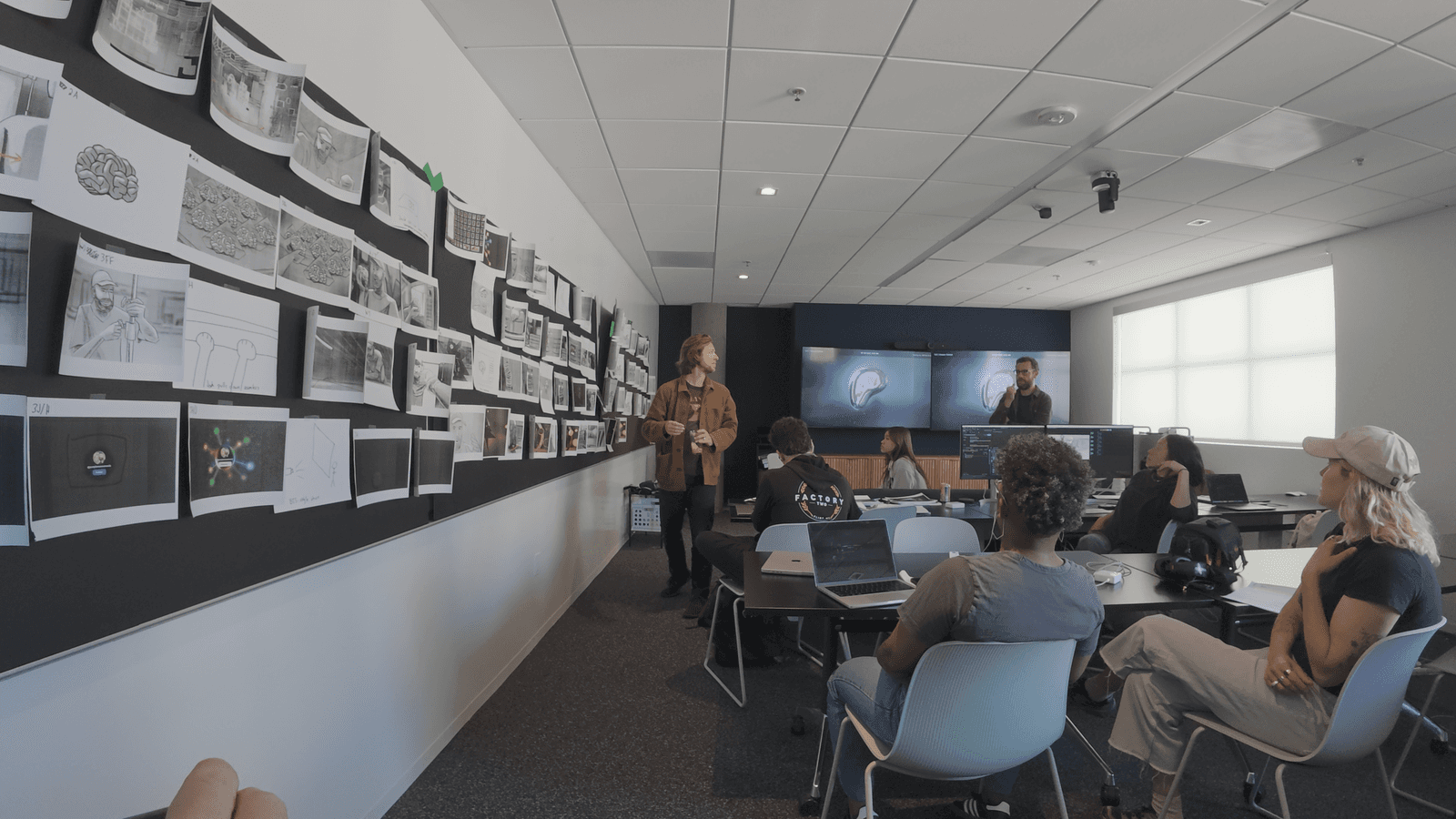
Patreon's video production team runs a complex operation, creating content for multiple shows and platforms. Every week, they produce episodes of Digital Spaghetti — a flagship YouTube series featuring creator interviews — plus a Patreon-exclusive full-length cut, vertical shorts for social platforms, recurring series like Cut by Cut and Shot by Shot, and content for the CEO’s Instagram. There are a lot of moving pieces on a tight timeline.
On top of that, they were managing all of it through a single, sprawling Notion workspace.
The Solution
The team didn’t need another tool — they needed a system that could handle the complexity of their production workflow.
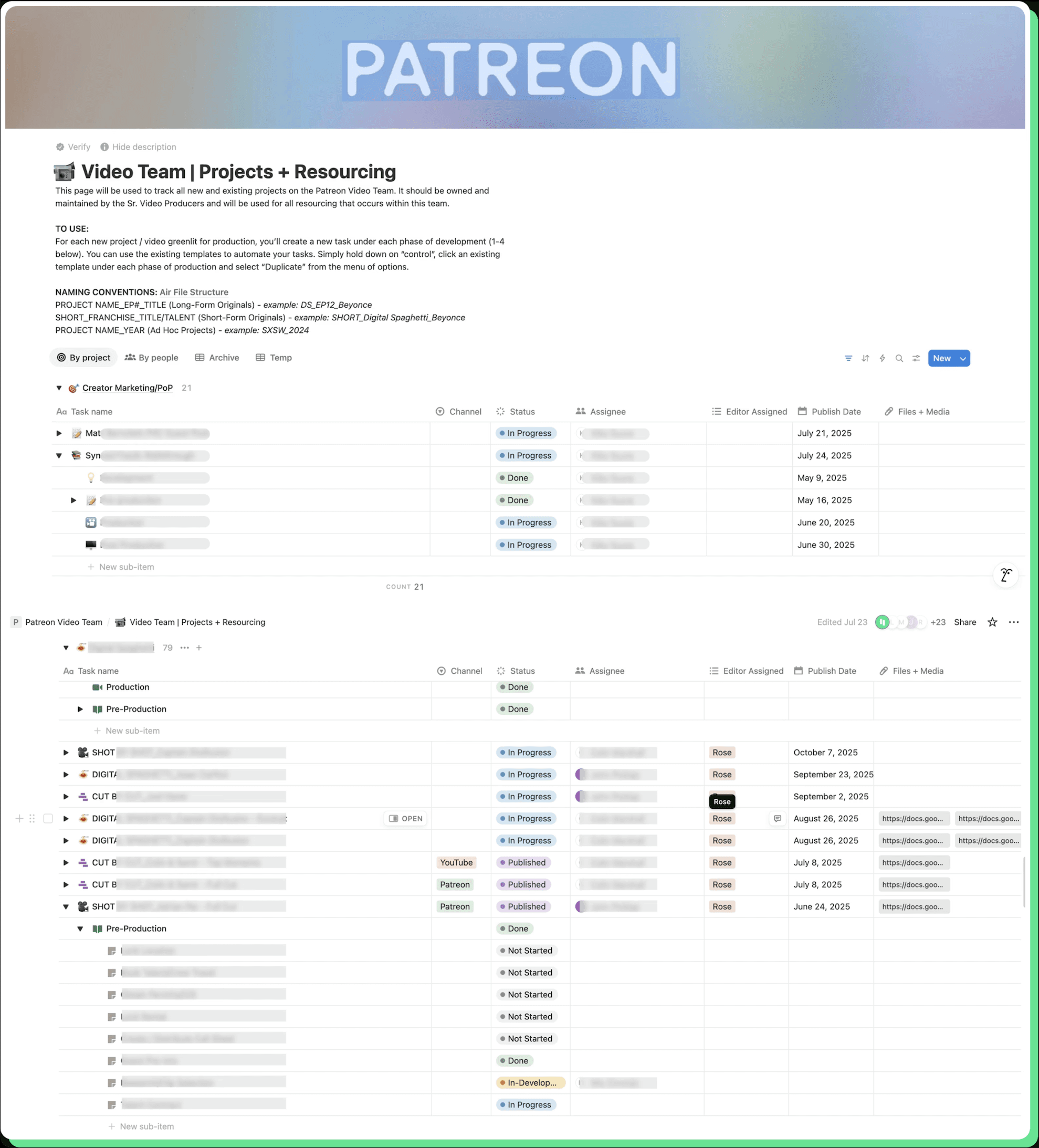
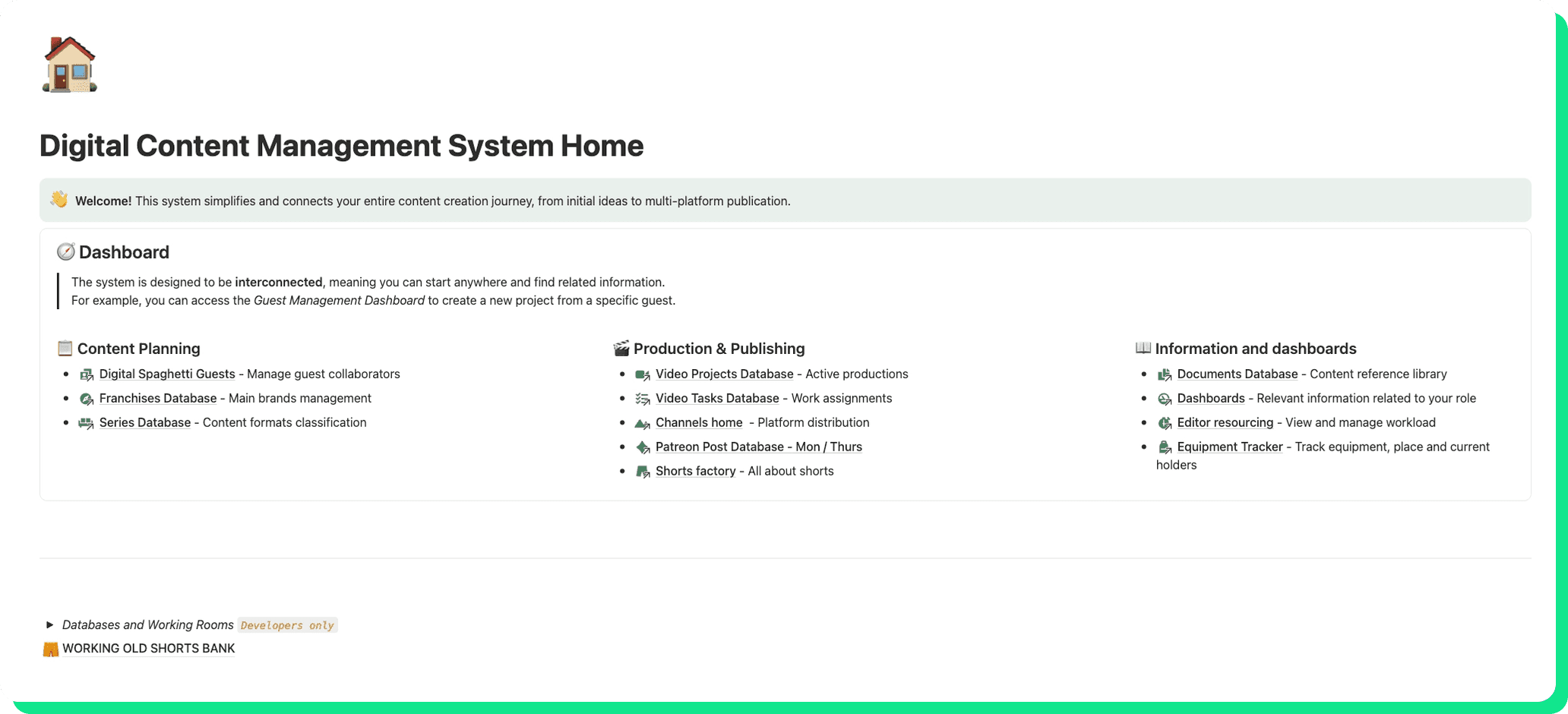
We redesigned their Notion workspace from the ground up, replacing a deeply nested, manual setup with a structured, automated system built around how the team actually works. Instead of forcing their process into a generic template, we mapped their real production flow end-to-end and translated it into interconnected databases, automated workflows, and intuitive, role-specific dashboards.
This shift eliminated the need for constant manual updates, made project tracking from ideation to publication seamless, and turned Notion into a reliable source of truth for the entire team.
The Engagement
Phase 1 — Design Sprint: Understanding the Real Problem
Optemization kicked off a Design Sprint to understand the video production team’s workflows, needs, and pain points before building.
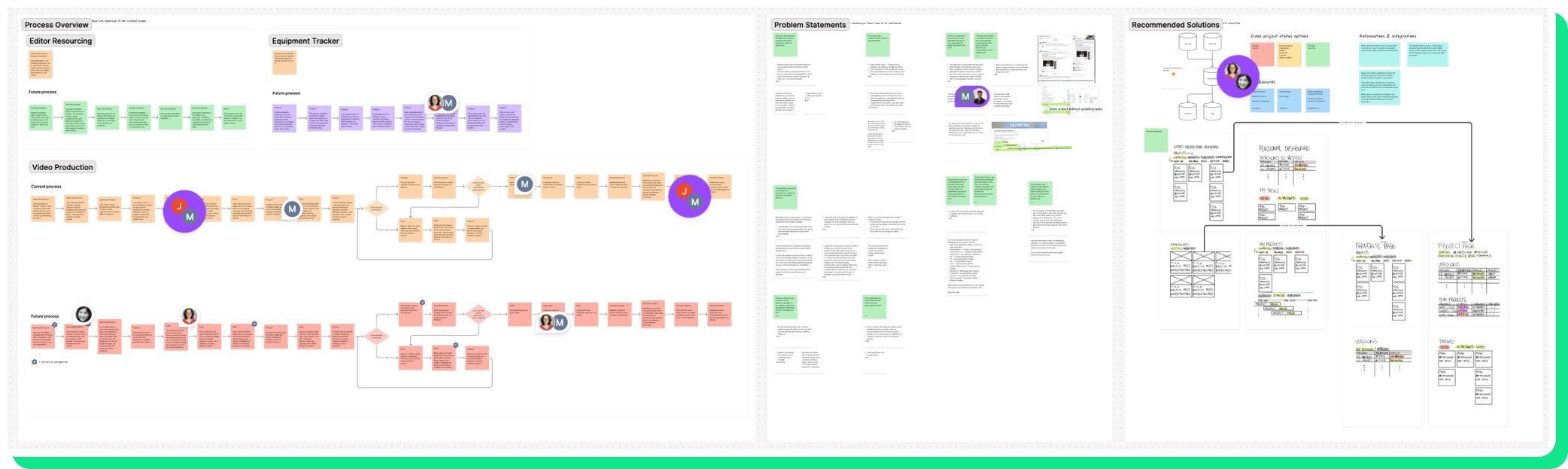
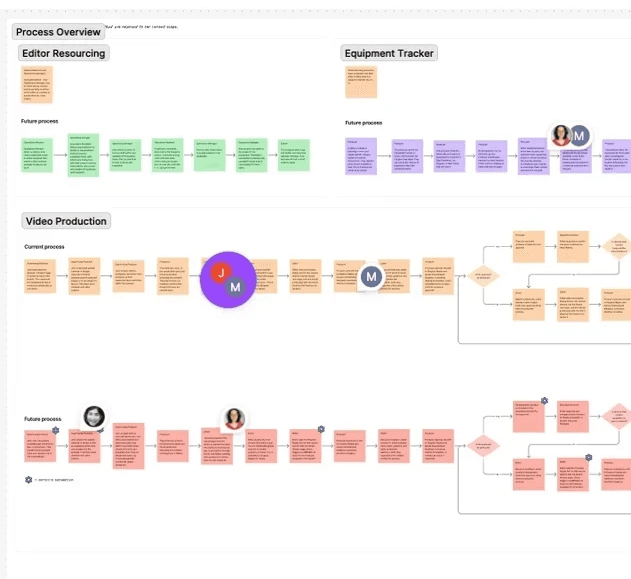
We interviewed stakeholders across key roles and mapped their end-to-end processes.
The sprint surfaced recurring pain points and contradictions, while also confirming what was working well enough to keep.
Phase 2 — Development: Building and Testing the New System
Optemization’s development team took the Design Sprint findings and began building and refining the Notion workspace for the video production team — designing, building, training, and testing along the way. This is where the addressed pain points were solved and the suggested solutions became real builds in Notion: interconnected databases replaced nested toggles, automations replaced manual busywork, and personal dashboards replaced paper notebooks and Slack DMs.
The team tested the new system in real production cycles, giving feedback that shaped the final product. By the end of this phase, the video production team had a workspace that actually worked the way they did.
What We Built
A Redesigned Video Production Pipeline
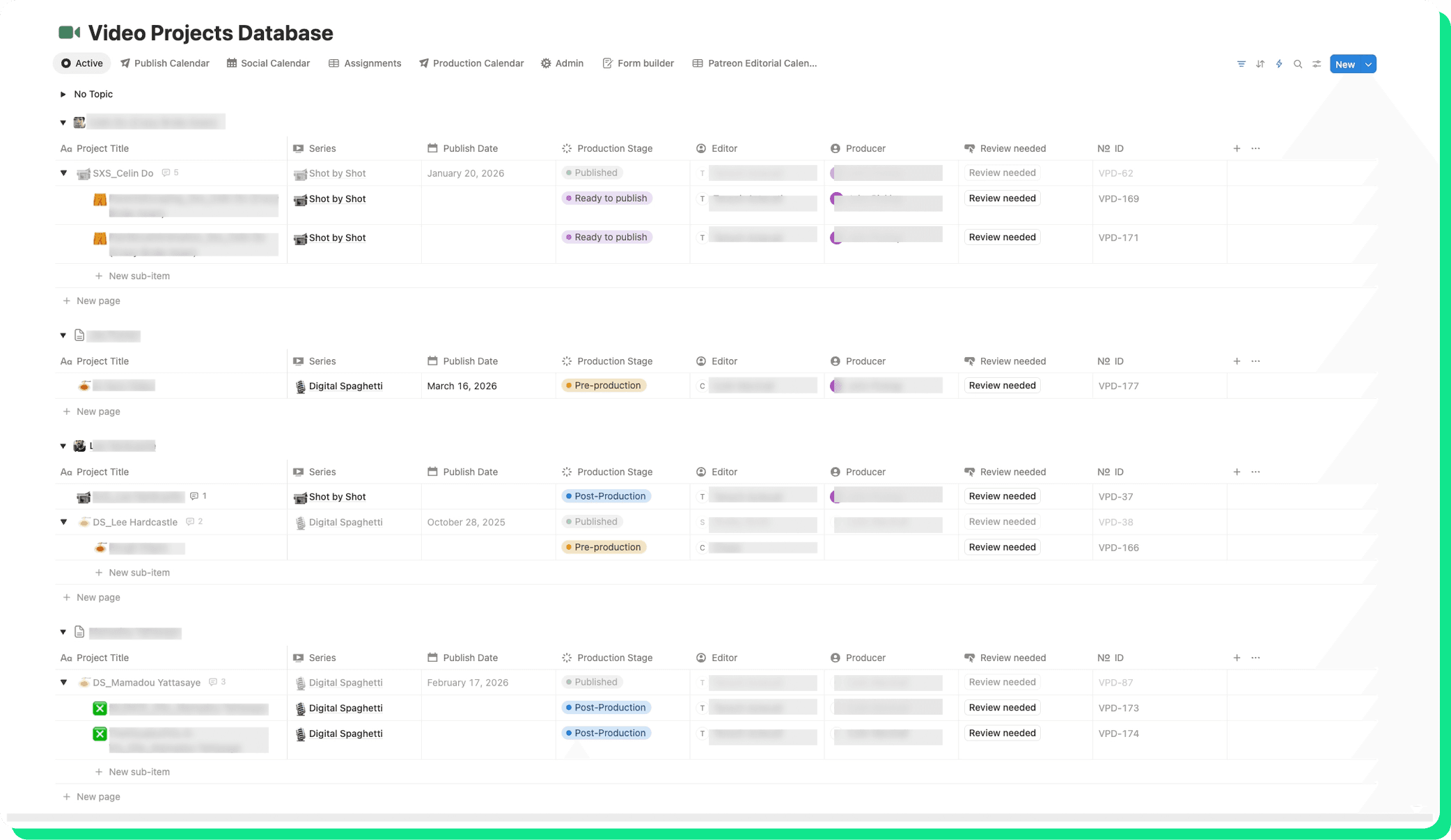
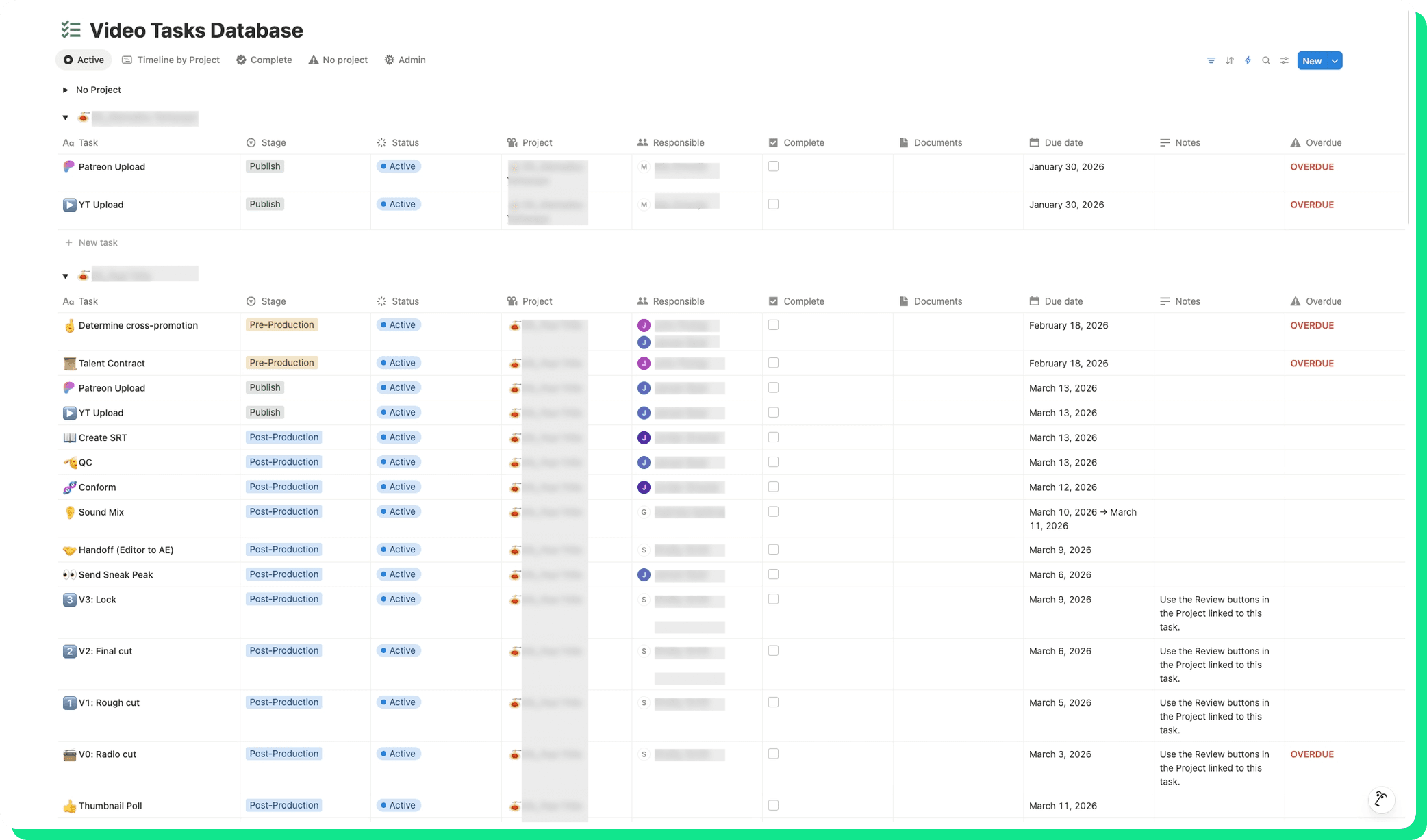
The old setup crammed everything — shows, episodes, deliverables, tasks, and subtasks — into a single database, with toggles acting as makeshift separators. We replaced it with a structured system of interconnected databases that finally gave the team what they had been asking for: board views, calendar views, filtered views per editor, and automatic status roll-ups.
No more clicking through five layers of toggles just to find out whether an episode was on track.
Automated Episode Setup & Deadline Templating
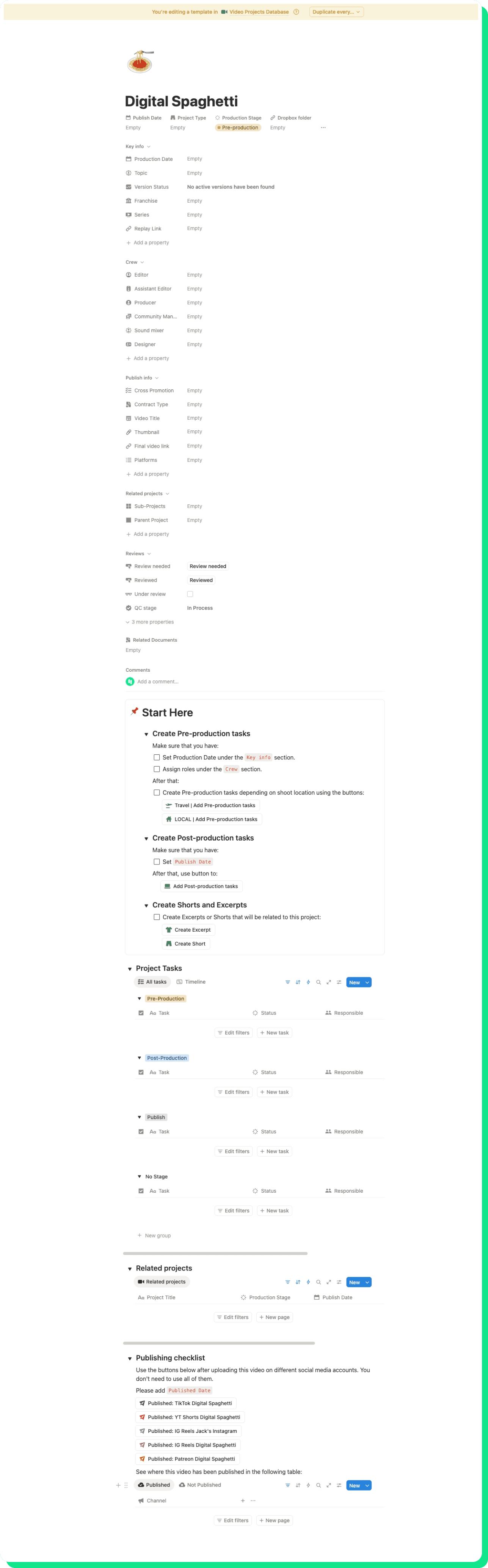
The supervising producer walked us through their episode setup step-by-step and it was clear the workflow followed a consistent, predictable pattern. The publish date drives the conform date, which drives the QC date, which drives the upload date.
"If there's a Episode template auto-generating tasks with deadlines based on publish date, it would be a lot easier."
— John P., Supervising Producer
We streamlined and automated that process. Now, once a publish date is set, the post-production tasks are generated automatically with the correct deadlines. What used to take manual effort and mental math now takes one input — making the system more organized, consistent, and easier for the team to maintain.
Streamlined Review Cycles & Version Tracking
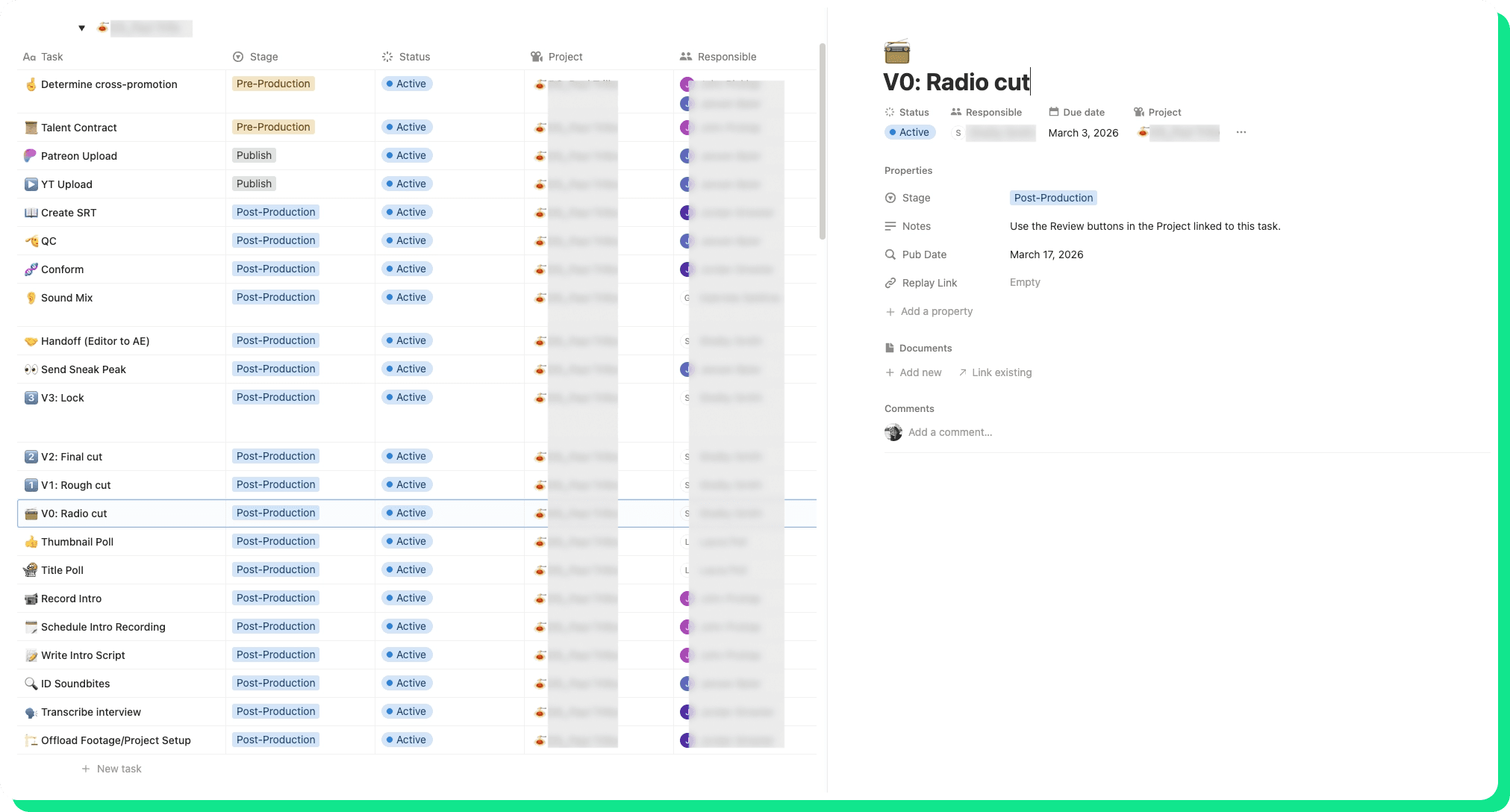
The team’s V0 → V1 → V2 → Lock review workflow was clear in theory, but the process was scattered in practice. Editors would add a Dropbox Replay link, then Slack the producer to say it was ready. The producer would review, leave notes in Replay, then Slack the editor back. It worked, but it depended on someone remembering to message the right person at the right time.
We restructured and streamlined the review cycle so the review link becomes a tangible trigger inside Notion. Clicking a button moves the task to In Review and surfaces it on the assigned producer’s dashboard with a notification. When the review is complete, another button is used to notify the editor. No Slack ping required and no need to remember all the details.
Personal Dashboards — "My Work" Views
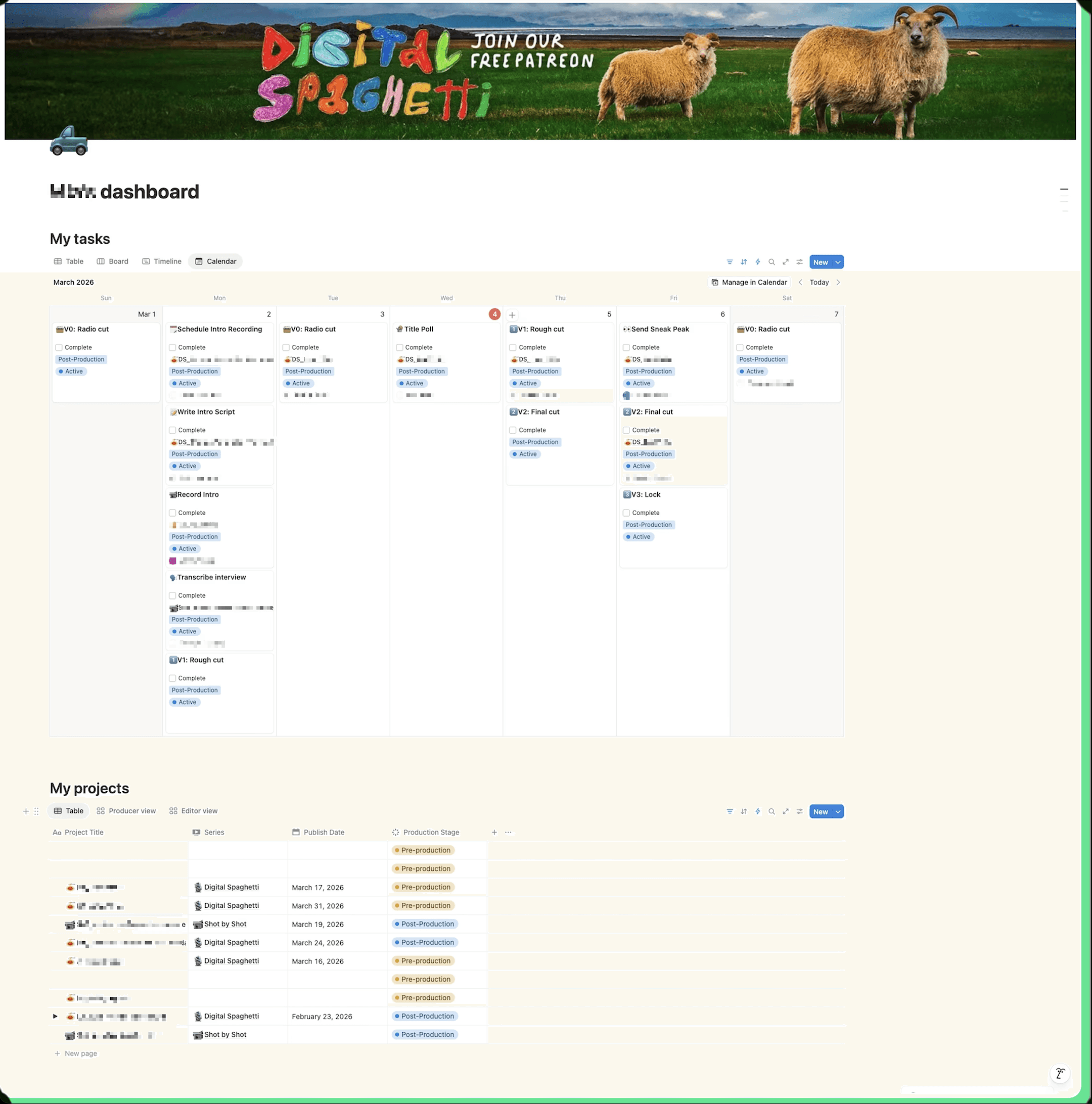
Before our engagement, the team did not have personal Notion dashboards. One person relied on a paper notebook. Another kept a shared to-do list on a separate Notion page. Someone else used Google Tasks. A recently onboarded team member did not have a clear, consistent place to look for what mattered.
“I had never really imagined a Notion dashboard that outlines my tasks for the week. Can that appear for me, so I know which tasks are incomplete and assigned to me?”
— Colin M., Video Editor & Producer
We reorganized this into individual home pages for each team member, streamlining their day-to-day flow. Each dashboard surfaced tangible, role-specific work in one place, including assigned reviews, upcoming publish dates, and active tasks. The goal was to make Notion the first thing they open each morning, right alongside email.
Shorts Publishing Pipeline
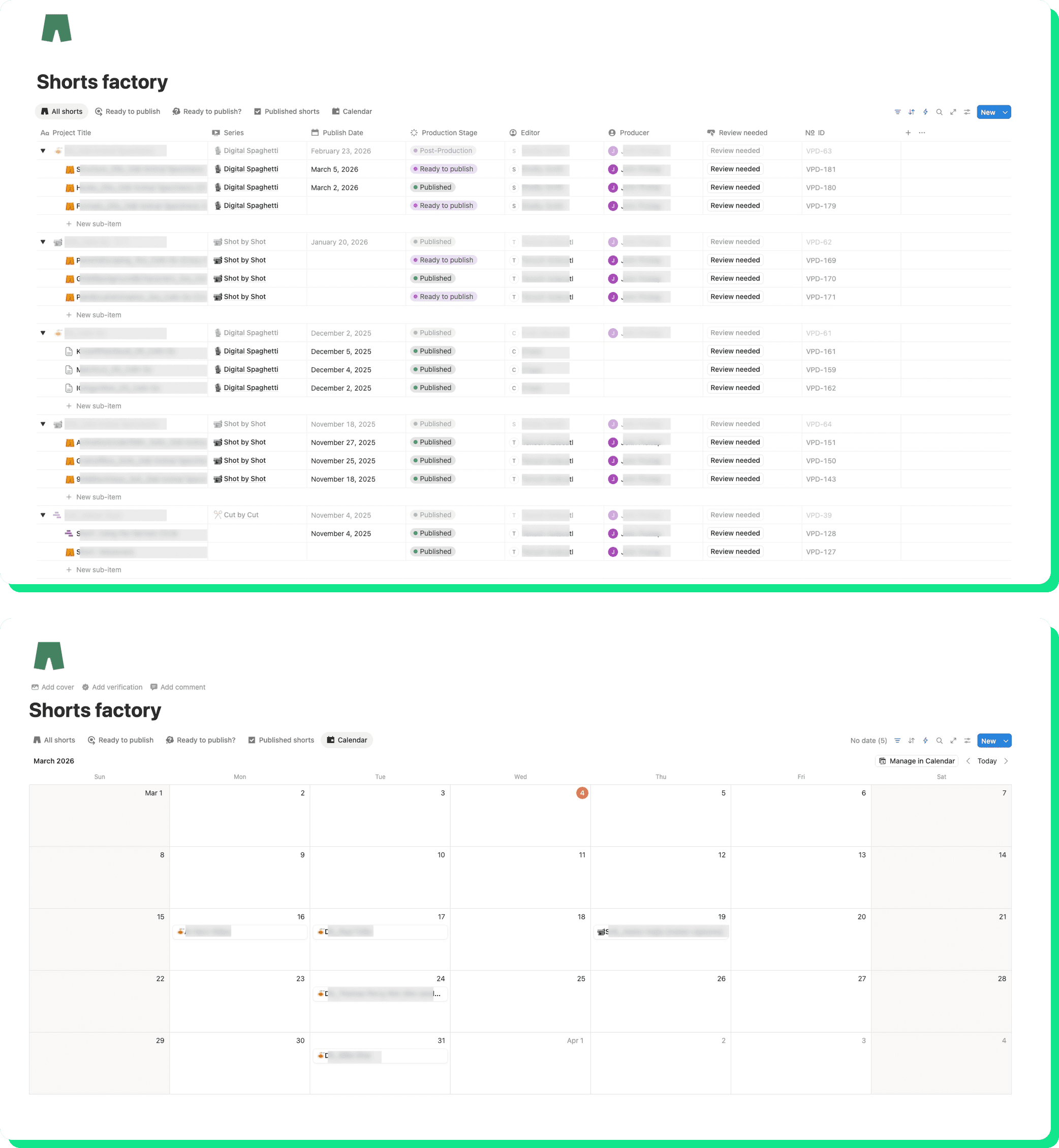
The biggest day-to-day frustration for the team was finding shorts that were actually ready to publish. The old system used the same Done status for both completed subtasks and finished shorts, which made it impossible to filter. People had to scroll through the list looking for the right color tag, and if ‘Digital Spaghetti’ was out of options, they had to dig into Jack’s (Patreon’s Co-Founder & CEO) Instagram section to find alternatives.
“I wish there were a more visual way to see it. The fact that I have to remember to go in and physically click each one is kind of confusing, versus having tiles you can drag around like a calendar view.”
— Mia Z., Associate Producer
We restructured and organized shorts into their own streamlined pipeline with distinct status labels: Done Editing, Published — DS YouTube, Published — Jack’s IG, and Available. This brought consistency to the workflow and created a more tangible way to see what was ready, what had been published (and where), and what is still in the queue.
Editor Resourcing Dashboard
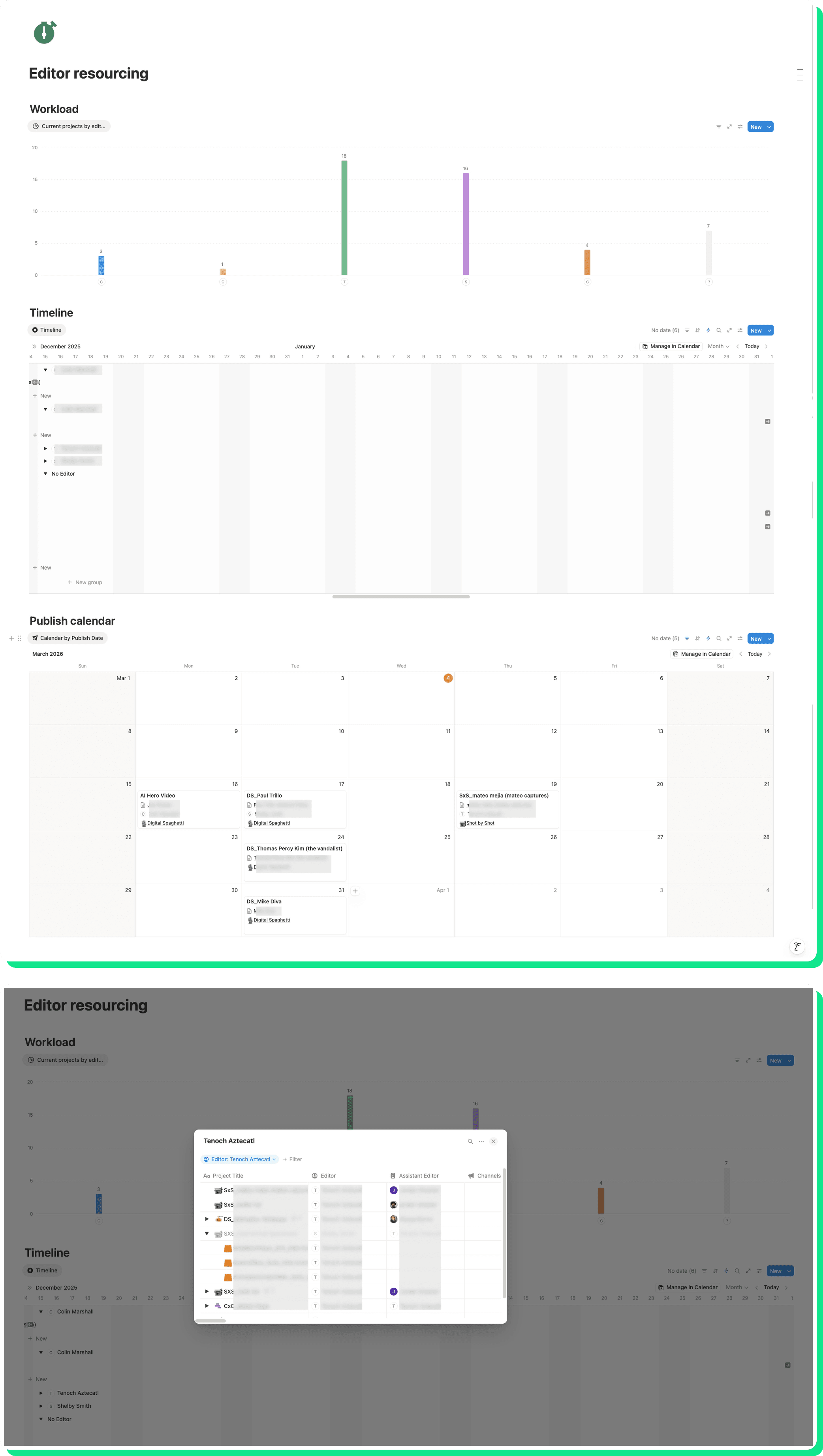
The operations manager came to us with a specific request: to see which editor (staff or freelancer) was booked on which project, so when new projects came in, the team could make informed assignment decisions instead of guessing.
We streamlined and reorganized resourcing into a tangible capacity dashboard, showing each editor’s current and upcoming projects on a timeline. Staff editors, contracted freelancers, and per-project freelancers were all visible in one consolidated view — bringing consistency to how the team plans and assigns work.
7. Equipment Tracker
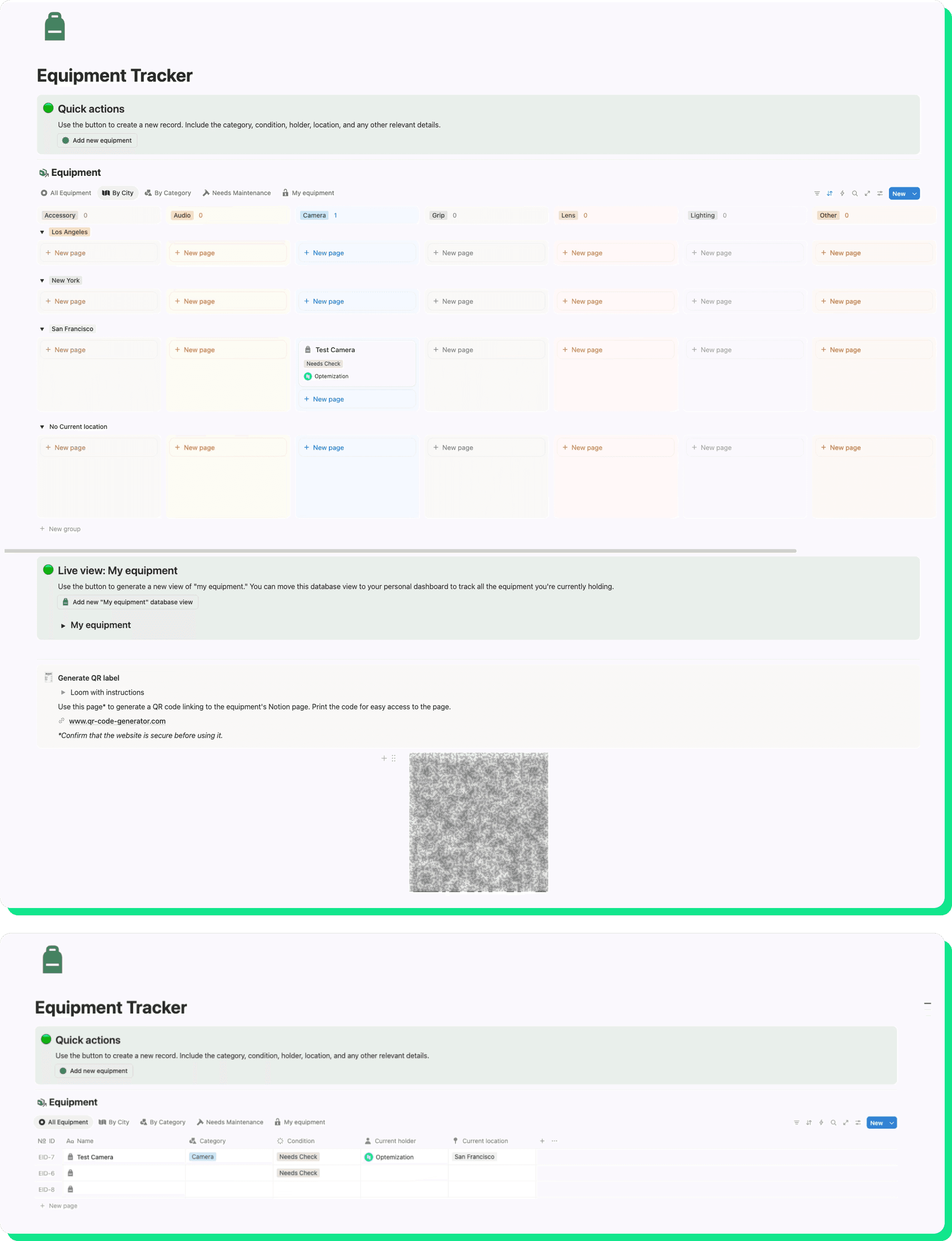
A simpler build, but one the team needed. About 50 pieces of camera equipment move between San Francisco, Los Angeles, and New York. Their team needed a way to know what's where and who has it — without making people stare at a massive database table.
We designed a clean, visual tracker where producers could quickly update equipment locations and flag maintenance issues.
8. Calendars Sync
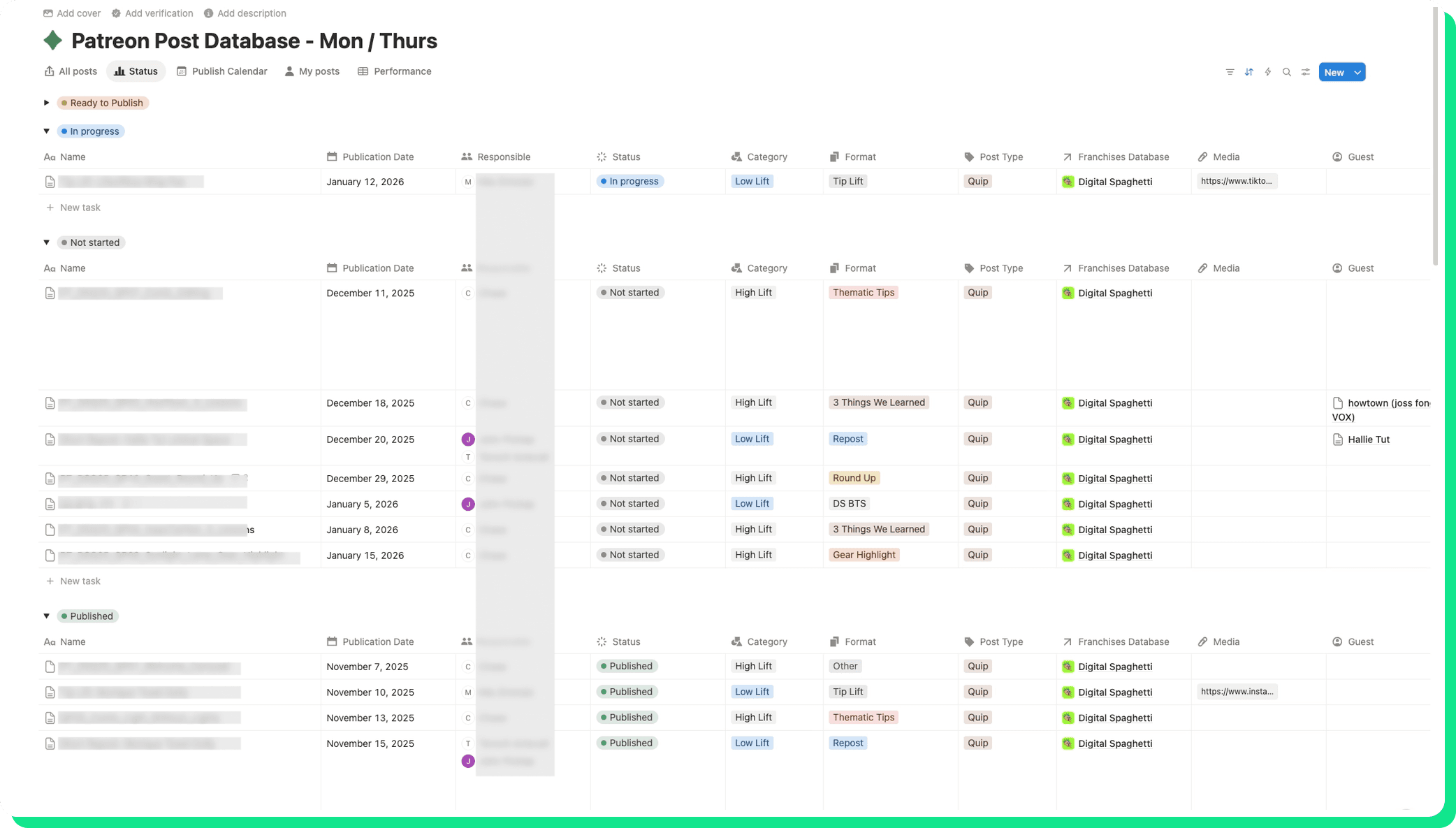
The Supervising Producer was maintaining publish dates in two places — their own database and the larger content calendar managed by another team. We set up a sync so that publish dates originate in Notion and automatically appeared on the company-wide calendar, saving a lot of manual work and time.
The Results
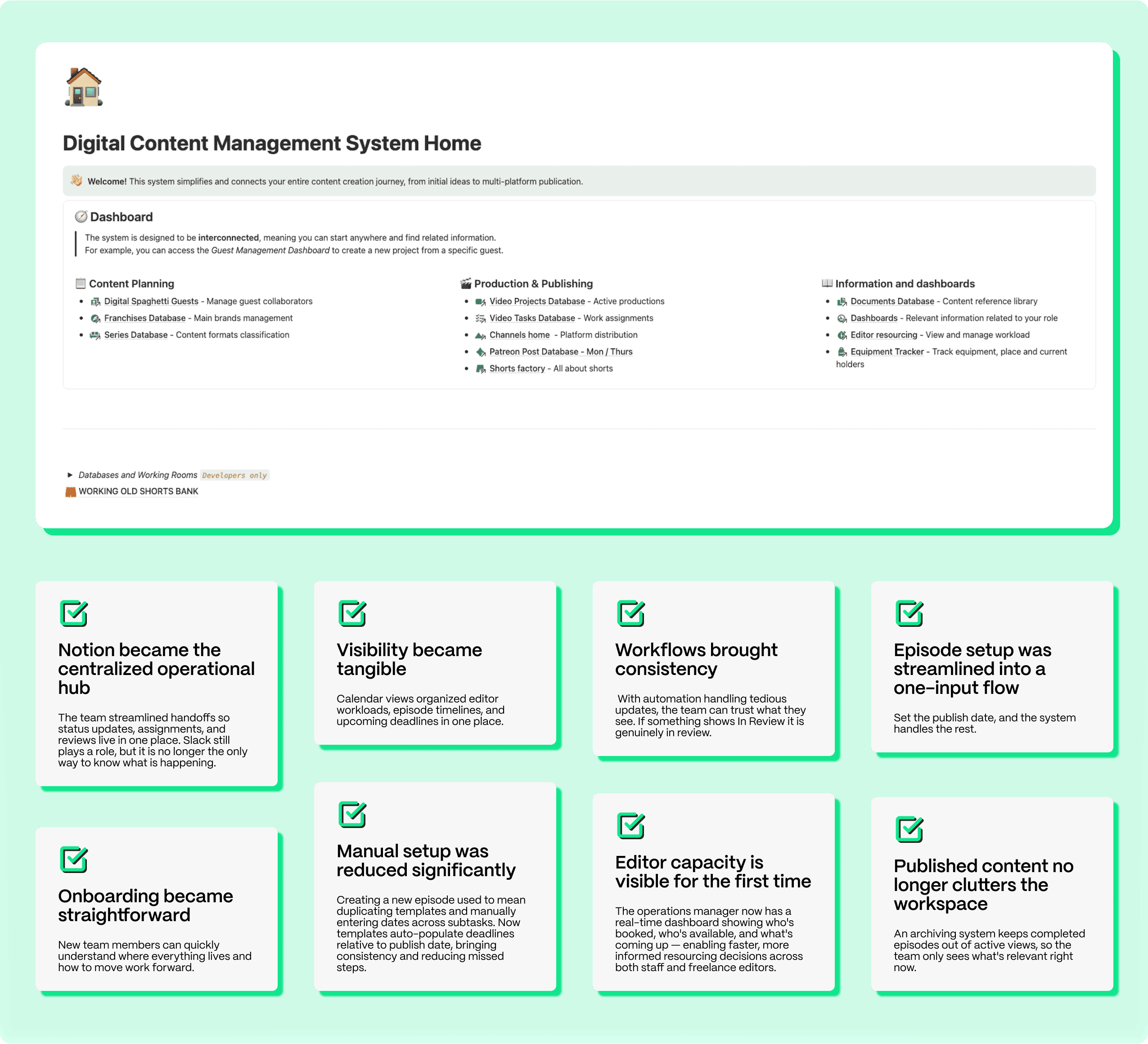
The team went from viewing Notion as "clunky" to treating it as their daily command center.