If your team uses Notion, you've likely noticed a new kind of AI feature in the sidebar: Custom Agents. Notion launched them in February 2026 and they've quickly become one of the most-asked-about features for teams.
What are Notion Custom Agents?
So what are Notion Custom Agents? Basically, Notion Custom Agents are autonomous AI workers that live in your workspace sidebar and run scoped tasks on a schedule or trigger. They can run without a human prompting them in a chat, though you can choose to interact with an agent via chat too.
Custom Agents are essentially virtual colleagues who can work proactively in the background to get things done. They are best used for repeatable workflows that run on a schedule or trigger, such as status reports, Slack triage, meeting recaps, and deadline reminders.
How do Custom Agents compare to other Notion AI features?
Here's how Notion's other three AI features compare to Custom Agents, and when to use each one:
Custom Agents | Personal Agent | Skills | Notion Workers (alpha) | |
|---|---|---|---|---|
What it does | Autonomous background workers. Run on a schedule or trigger without you lifting a finger. | Your all-in-one AI collaborator. Research, draft, analyze - interactive and conversational. | Reusable, modular instruction pages that teach AI how to do a specific task on demand. | Small Node/TypeScript programs hosted by Notion. Come in two types: Tools (functions your agents can call) and Syncs (pull external data into Notion on a schedule). |
How it works | Sidebar agents with instructions, triggers, and scoped tools/access. Runs independently. | Chat interface (bottom-right corner). Custom instructions, specialist modes, LLM* model selection. | Create a page with task-specific instructions, register it as a skill. Invoke via @mention in AI chat or inline text selection. | Built and deployed using the |
Cost | Credit-based — $10 per 1,000 credits. Shared across the workspace. | Included in Business and Enterprise plans, no agent credits. | Included in Business and Enterprise plans, runs on standard Notion AI usage, no agent credits. | Not specified (alpha). Requires a workspace admin to opt in, and only useful if you already have Custom Agents access. |
Best for | Repeatable, background tasks: reports, triage, status updates, summaries — anything that runs on its own. | Interactive work: research, writing, analysis, specialist coaching, back-and-forth collaboration. | Reactive, on-demand workflows: generating tasks from meeting transcripts, applying brand guidelines, guiding users through SOPs. | Adding custom capabilities to agents and syncing external data sources into Notion databases. |
Key rule | Only use when the task repeats, doesn't need you in the loop every time, and can be handed back to a human when judgment is needed. | Use this for anything interactive. Don't rebuild personal agent workflows as custom agents. | Use when a human triggers the task on demand. Workspace-wide by default — no per-person setup needed. | Treat as extreme pre-release alpha — expect breaking changes, don't use for anything critical. |
LLM stands for large language model, which is a type of AI designed to understand, process, and generate human-like text.*
How you can use Custom Agents
Custom Agent for creating recurring reports
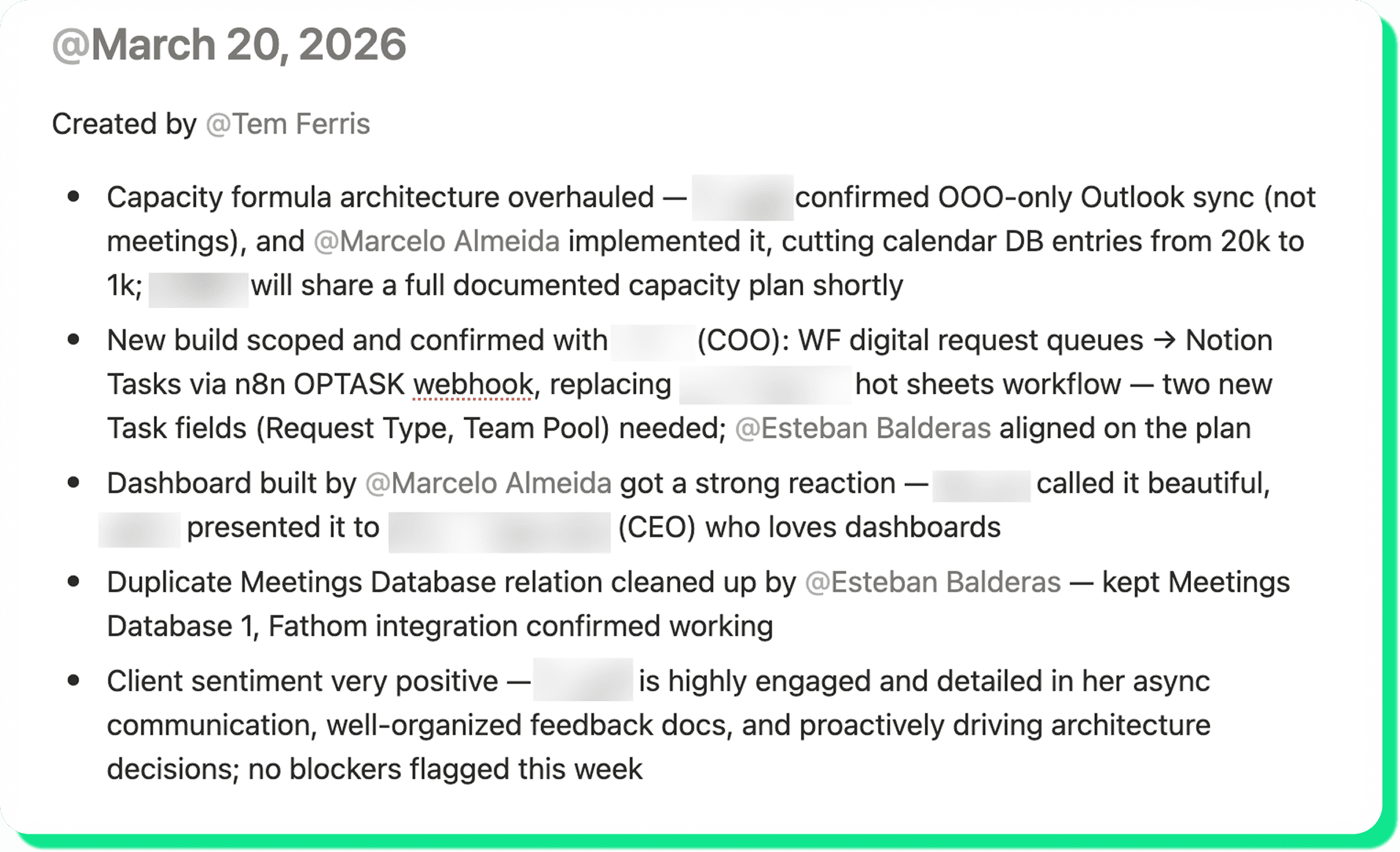
Communication is arguably one of the hardest part of working on a team, and it gets exponentially harder as a team grows from tens to hundreds of employees. That's one of the reasons we create reports: to cut out the noise and share precisely what other people in the company need to know. If everything is already documented somewhere, such as meeting summaries, Slack threads, and project status updates in Notion, Custom Agents can write these reports for you!
At Optemization, we created "Tem Ferris", a Custom Agent that writes weekly internal project updates we call "Five Bullet Fridays.” The agent runs every Friday morning and writes updates for all projects. The team members responsible for these projects only need to review the agent's updates instead of writing them from scratch, saving them a lot of time and effort.
Custom Agent for delegating tasks after meetings
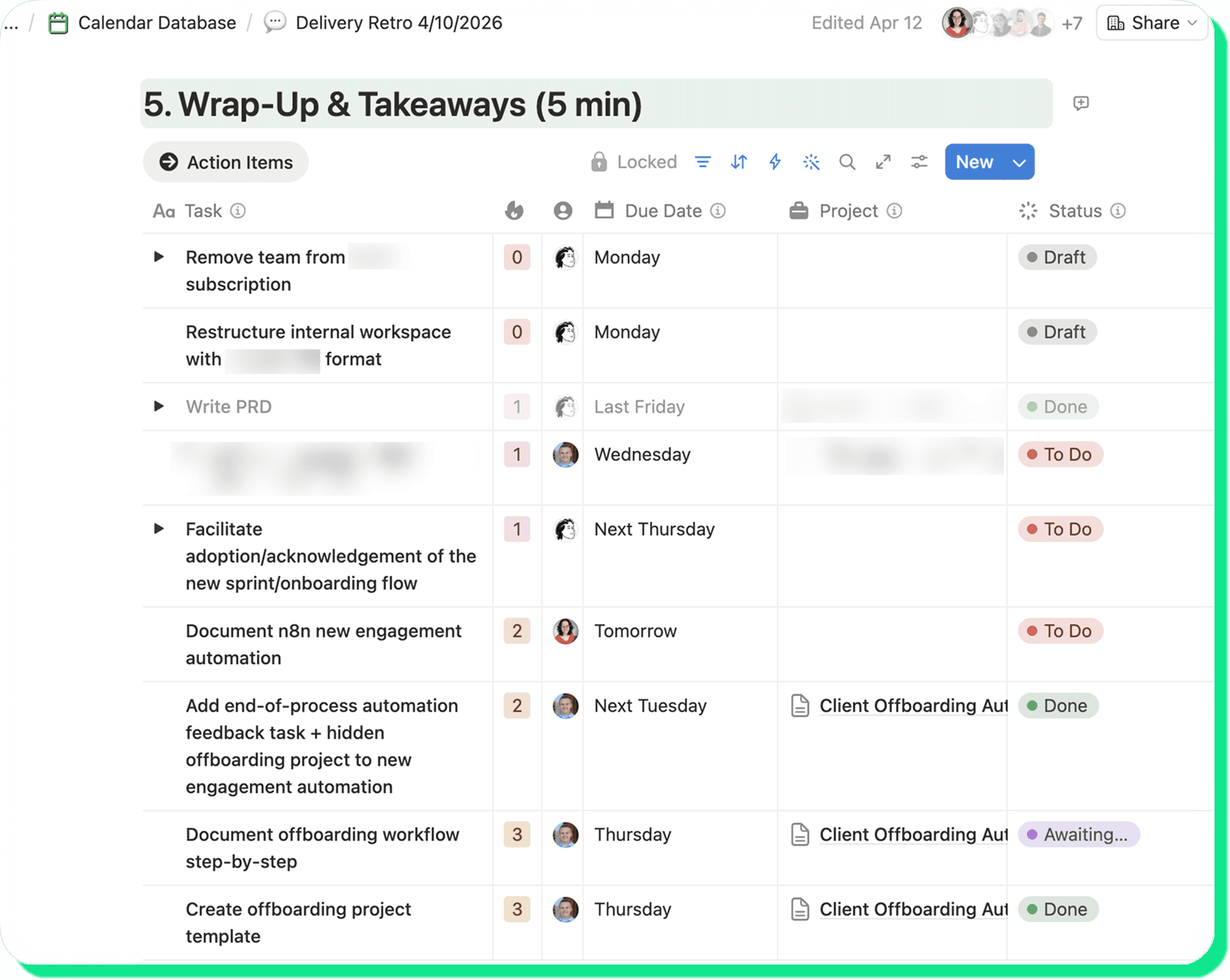
Forgetting what you committed to in a meeting is human. So is forgetting to write your weekly updates to the team (if you still need to write these manually that is 😉). These are some great examples where a Custom Agent earns its keep, capturing the work without anyone having to chase a teammate down to remind them. Our “Meeting Task Creator” agent runs after every Zoom call and creates tasks (in Draft status) for our team. The meeting lead moves each one to To Do or cancels it if it isn't actually needed. For our weekly Delivery Team syncs (shown below), those action items roll onto the next week's meeting agenda automatically, so we can review together what has been completed, what wasn’t, and address any blockers, ensuring we make progress week after week.
Custom Agent for answering team questions
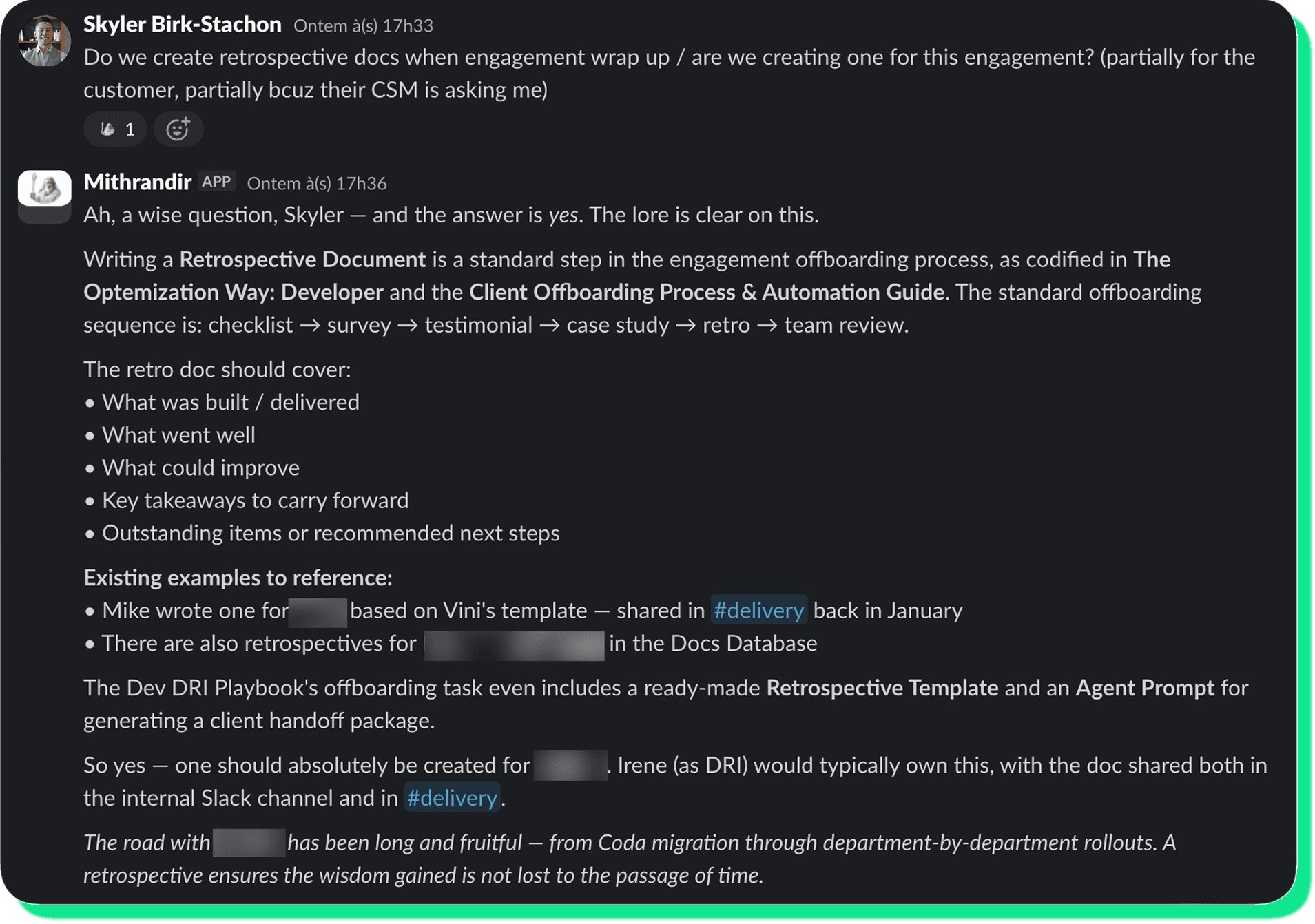
If you are constantly answering the same questions in your team's Slack or if your company has a bunch of overly active #[team]-ask Slack channels, a Custom Agent would come in handy! As long as there are documented and up-to-date solutions to problems or answers to questions, a Custom Agent can find it and answer accordingly.
Our keeper of knowledge agent is named "Mithrandir,” and yes, it responds in full Gandalf voice when summoned (for fun). It can:
Answer questions about our internal processes, tools, and documentation by searching our Docs Database in Notion (our source of truth for this information)
Surface relevant documentation from the Docs Database
Help think through challenges, acting as a strategic thought partner, as Gandalf would counsel a member of the Fellowship facing a difficult choice
Custom Agent for invoice tracking
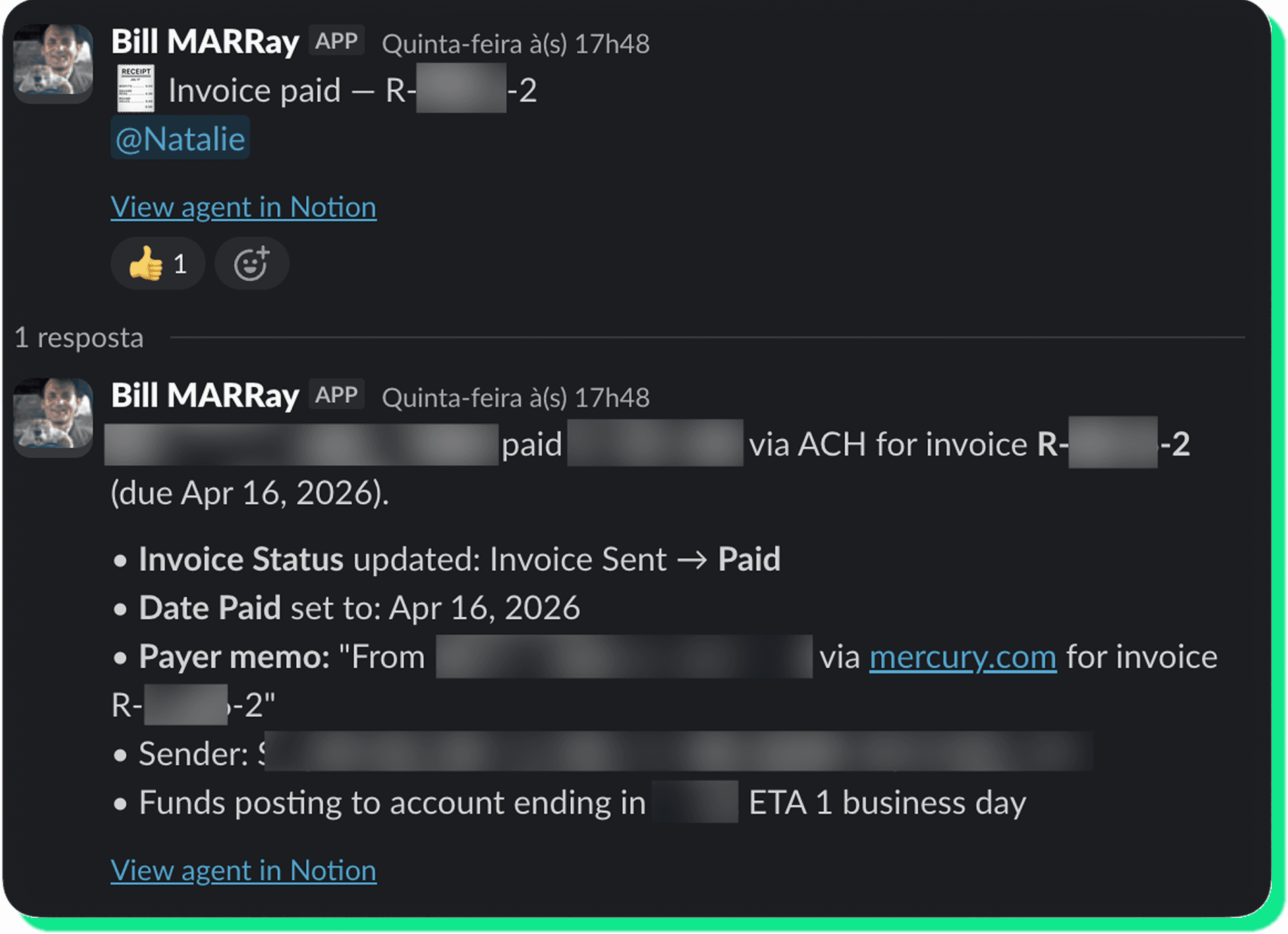
Invoice workflows are another place where small gaps create a lot of manual follow-up: missing tracking records, invoices sent without the right status updates, and payment confirmations buried in email. So we designed a Custom Agent to own the lifecycle so our Invoices Database stays accurate without anyone chasing updates. In Notion, it creates and maintains our invoice records. The agent rolls the recurring invoices forward each month and logs out-of-band updates like internal notes or cancellations onto the relevant page.
The Custom Agent integrates directly with Mercury (our payment platform) for sending and reconciliation. It identifies one-time invoices scheduled to send, asks for explicit approval before sending, then stamps Notion with the date and status once they are sent. It also monitors Mercury's notification emails to mark invoices as sent, due, overdue, or paid the moment the status changes, keeping the two systems in sync. Throughout, it posts updates to Slack so our COO can review, and finance ends up with an auditable trail nobody had to compile by hand.
Where Notion Custom Agents fall short
We've tested Custom Agents for other kinds of workflows such as one-off tasks and very well-defined processes (e.g. creating the same tasks every time a new client is onboarded), and here’s what we learned:
One-off tasks aren't worth the setup: Building, instructing, and testing an agent only pays off when it runs many times, not when you only need it once.
Rigid, precision-critical processes fight the tool's nature: Custom Agents are not very good at replicating exact workflows that require very little custom-ization (no pun intended). They make judgment calls on each run, which is great when you want flexibility, but risky when you need outcomes to be identical every time.
How to get started with Custom Agents
The easiest way to get started is with a template from Notion's Marketplace. Select an agent with a small scope so iteration is easy, and then simply increase its scope over time.
For your security, read the agent template's instructions thoroughly before installing anything on your Notion workspace. And while you're at it, take the time to customize it to your company's needs!
Custom Agents won't replace your team. They take the most repetitive, administrative-heavy parts of the work off everyone's plate so people can spend their time on the things that actually need judgment. If you want to get started creating your very own custom agents, our team at Optemization wrote an in-depth guide. You can check it out here: Notion Custom Agents — Implementation Guide.
Need help integrating Custom Agents into your workspace?
If you've made it this far, you probably have a workflow in mind. Custom Agents are only as good as the workspace they run in. If your content is outdated, your structure is inconsistent, or your permissions are a mess, agents will surface unreliable answers and your team will stop trusting them. If that sounds familiar, we'd love to help you fix it. Drop us a line.